Cordary TeamOfficial Cordary account3 min read
How to Use a Discord Template on a Server You Already Have
Discord templates only create new servers. Here's how to bring a template's channels, roles and permissions into a server you already run, by hand or with Cordary.
Updated
Discord server templates are a quick way to borrow a layout someone has already worked out: the categories, channels, roles and who can see what. They come as links like discord.new/AbCdEf123.
The catch: a template can only create a new server. Open the link and Discord offers to make a fresh server from it. There's no button to apply it to the server you already have, with its members, its history and the #general people actually use.
You have two options: rebuild it by hand, or let Cordary fit it in for you.
Option 1: Rebuild it by hand
This works for small templates and costs nothing but time.
- Make a reference copy. Open the template link and create a new server from it. Nobody needs to join; it's your blueprint.
- Write down what you want. Go through the copy's channel list and Server Settings → Roles. Decide what to bring over, what to skip, and what you already have under a different name.
- Create the roles first. Channel permissions refer to roles, so the roles need to exist before you set up channels. Match each role's permissions to the copy's. Open the role in both servers side by side.
- Create categories, then channels. For each private category or channel, open Edit Channel → Permissions in the copy and repeat the same settings: who's denied View Channel, which roles are allowed back in.
- Check what @everyone can do. Templates often change the server-wide defaults (Server Settings → Roles → @everyone). Compare them with yours before you decide.
- Delete the reference server when you're done.
Where it goes wrong: permissions. A template with a private staff area, a read-only announcements channel and a few role-gated rooms can mean dozens of permission toggles. Miss one and something meant to be private isn't. It's worth asking a second person to check, or viewing the server as a test role (Server Settings → Roles → View Server As Role).
Option 2: Paste the link into Cordary
Cordary does the rebuilding for you and shows you every change before it happens.
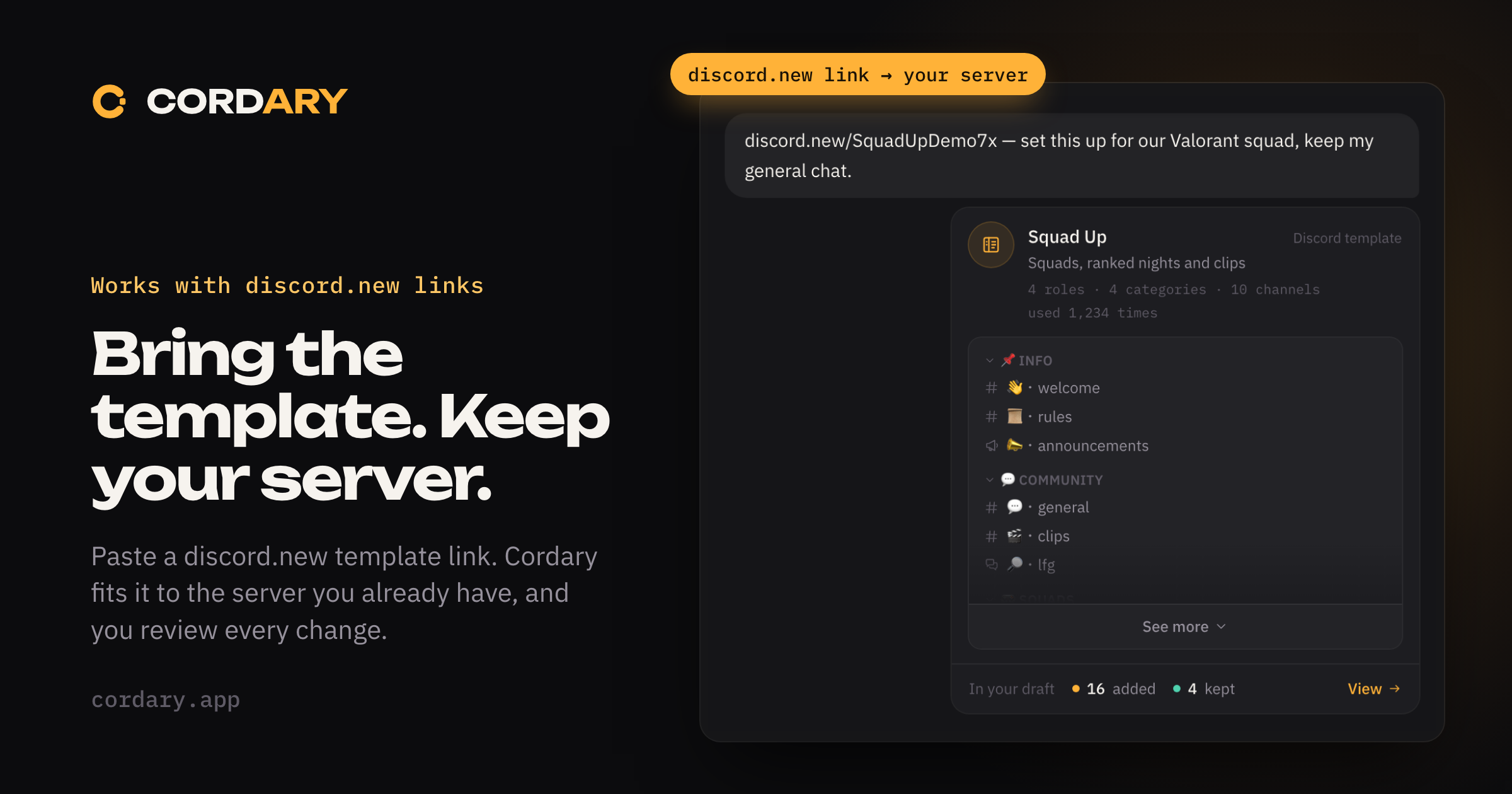
- Paste the template link into a Cordary chat and say what you want. "Set this up for our Valorant squad, keep my general chat" works, and so does the link on its own.
- Cordary reads the template and shows it in the chat: its name, how many roles and channels it has, how often it's been used, and an outline of its channels.
- It fits the template to your server. If the template has a channel or role with the same name as one of yours, Cordary keeps yours by default. Say so if you want the template's version instead. Everything else goes into a draft.
- Change anything before you apply. "Skip the staff area." "Rename Squad 1 to Duo." "Add an announcements channel." Each request updates the same draft.
- Review, then apply. Nothing changes on your server until you've looked at the plan and pressed Apply. If it doesn't work out, you can roll back what Cordary created.
Role permissions, private channels and the @everyone defaults come across with the template. If its moderator roles can kick, ban, time out, or mute and move people in voice, Cordary can give your roles those permissions if you added it with Administrator. With the standard set, give Cordary's role those permissions in Discord first. It never uses them itself.
If you've connected an AI agent to Cordary, it can do the same from a link. Nothing reaches your server until you review the plan and apply it in Cordary.
Which should you pick?
- A handful of public channels and one or two roles: rebuilding by hand is quick.
- Private areas, several roles, or a server people already use: let Cordary build the draft, then check it. You still decide everything; you just don't click through every permission yourself.
Either way, take the parts of the template that fit your community and leave the rest. A template is a starting point, not a rulebook.
More in #guides
How to Use Cordary's Checkup: Findings, Fix This and Scheduled Checkups
A walk through Cordary's Checkup tab. Read the findings, fix one with a change you review, dismiss what's fine, run the full checkup, and set up scheduled checkups with an optional Discord post.
Should You Give a Discord Bot Administrator? When It's Fine and When It Isn't
Many Discord bots ask for Administrator. Here's what it really allows, when it's reasonable, when to say no, and how to check what a bot can do in your server.