Cordary TeamOfficial Cordary account1 min read
Introducing: Paste a discord.new Link into Cordary
Cordary now reads Discord server templates and fits them around the channels and roles you already have. You review every change before anything happens.
Updated
In this post
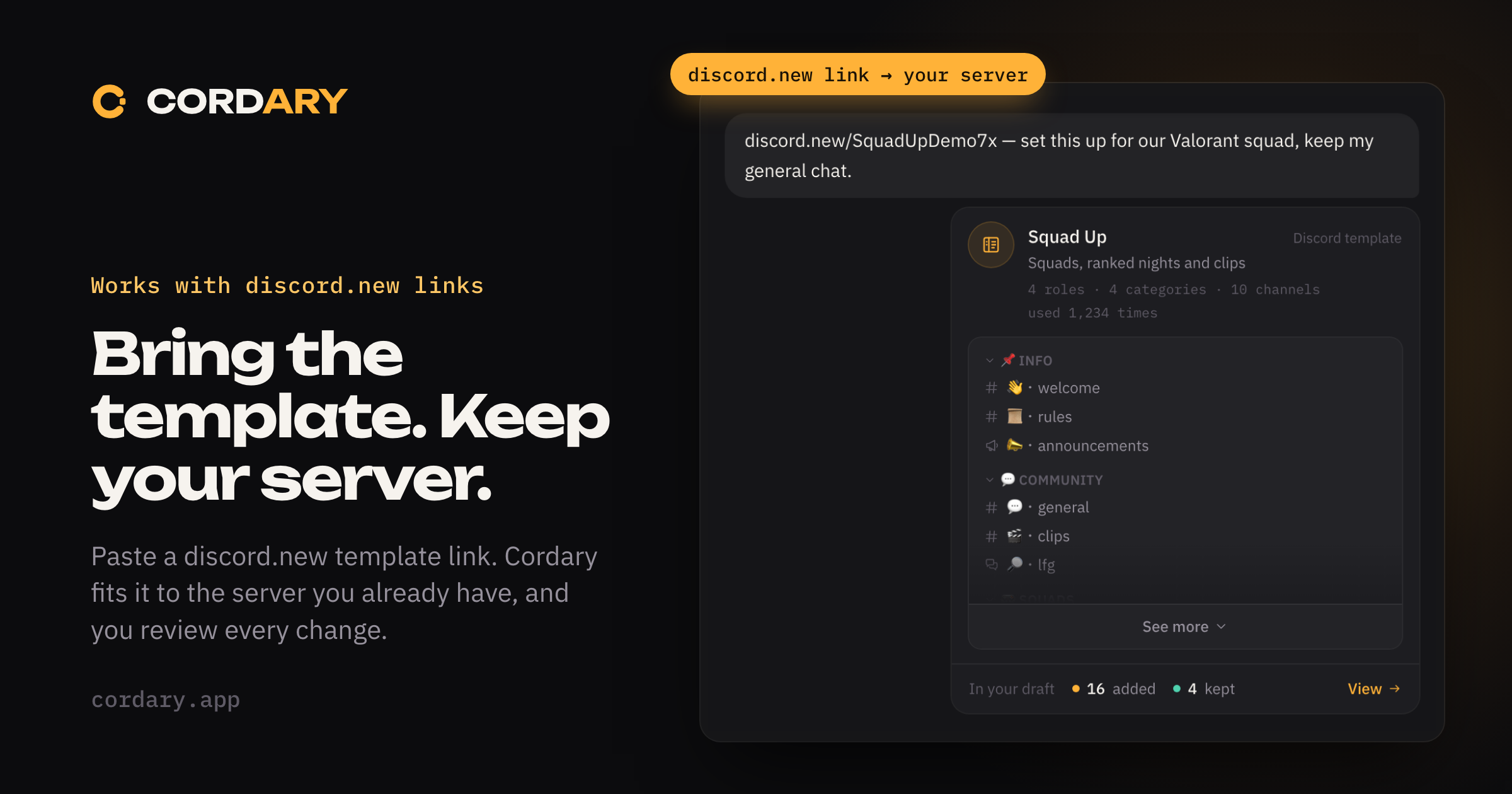
You can now paste a Discord template link (discord.new/…) into Cordary and use the template on a server you already have, not just a new one.
What's new
- Paste a link, get a draft. Cordary reads the template and shows it in the chat: its name, its size, how often it's been used, and an outline of its channels. Then it builds a draft around your server.
- Your server comes first. Channels and roles you already have are kept by default, and the draft shows how much it adds and how much it keeps. Ask for the template's version of anything and Cordary switches it.
- Talk it into shape. Skip parts, rename things, or add what the template doesn't have, all in the same chat.
- Templates on the Welcome screen. A new starter, "Start from a Discord template", comes first.
- Connected agents can use templates too. An AI agent connected to Cordary can read a template link and build the draft. Applying stays with you.
- Voice and moderation permissions. Templates with moderator roles can bring Kick, Ban and Timeout, and Mute, Deafen and Move Members. Cordary gives them to your roles when you've added it with Administrator, or given its role those permissions in Discord. It never uses them itself.
As always, nothing changes on your server until you review the plan and press Apply, and you can roll back what Cordary created.
Privacy
Cordary reads a public template only when you or your agent share its link. It keeps only what goes into your draft, and it doesn't keep who made the template. The Privacy Policy has the details.
New to templates? Read the guide: How to use a Discord template on a server you already have.
More in #updates
Ask Cordary About Your Server: Who Can See What, Without Changing Anything
Cordary answers questions about your Discord server, like who can see a channel or what a role can do, without drafting changes you didn't ask for.
Free Discord Server Checkup: Paste a Template Link and See What to Fix
Paste a Discord server template link and get a free checkup of its roles, channels and permissions in seconds. No sign-in needed, and you can share the results or fix them with Cordary.